Type on the TV, not the alphabet grid.
TVkip sends what you type on your iPhone's keyboard straight to the TV: searches, Wi-Fi passwords, sign-ins. Where a TV app ignores phone typing, as Netflix and YouTube do on many LG and Samsung TVs, TVkip types through the TV's own on-screen keyboard for you.
TVkip is an independent app. TV brand names on this page only describe compatibility; TVkip isn't affiliated with or endorsed by any TV maker.
What it does
- Your keyboard, your language: type with the iPhone keyboard you already use, including dictation.
- Straight into the field that's open on the TV.
- Use the TV's Keyboard: on TVs where an app ignores phone text, TVkip moves through the on-screen keyboard and selects each letter. It's slower, so a few letters of a title are usually enough.
Which TVs it works with
| TV | Typing from iPhone | Types on the TV's keyboard |
|---|---|---|
| Samsung | 2016 on; not in Netflix or YouTube | Yes |
| LG webOS | Not in Netflix or YouTube | Yes |
| Roku | Most apps | — |
| Google TV / Android TV | Most apps | — |
| Sony BRAVIA | Most apps; on 2013–2015 while the TV's keyboard is open | — |
| Vizio | Accents are dropped | — |
| Hisense VIDAA | Not yet | — |
| Fire TV | Latin letters; accents are dropped | — |
| Apple TV | Into the text field selected on the Apple TV | — |
Use it
- Open a search or text field on the TV.
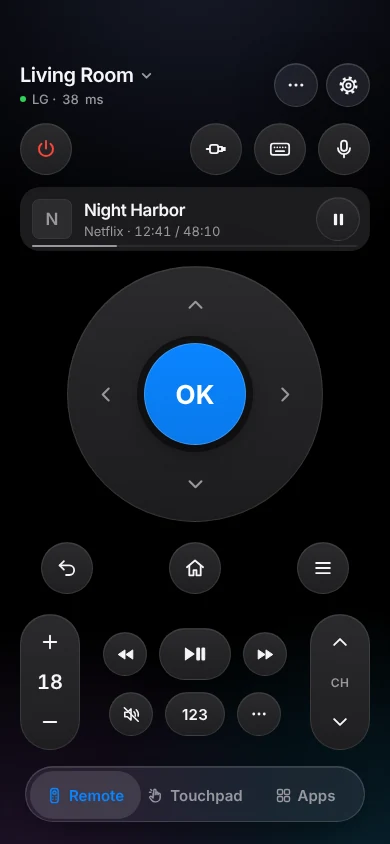
- Tap the keyboard key at the top of the remote and type.
- On an LG or Samsung TV where Netflix or YouTube ignores the text, tap Use the TV's Keyboard and keep the TV's search screen open while it types.
What's free, and what Pro adds
The keyboard is free, with the rest of the remote, for up to two TVs. Pro adds typing by Siri, a third TV and more; it isn't needed to type.
Honest limits
- Netflix and YouTube on many LG and Samsung TVs ignore phone typing; the TV makers' own apps have the same limit. The on-screen fallback works but is slower.
- Vizio and Fire TV type accented letters without the accent, and Fire TV can't type other alphabets or emoji.
- Hisense VIDAA: typing isn't offered yet.
- Samsung 2010–2013 sets can't receive typing at all.