Video & TV SideView is ending. Here's how to keep using your iPhone as a BRAVIA remote.
Sony is closing its Video & TV SideView app on March 30, 2027, remote control included. Three apps can take over the remote on iPhone; which one fits depends on your BRAVIA's year and what you used SideView for.
TVkip is an independent app. It isn't made by, affiliated with or endorsed by Sony; the Sony, BRAVIA and SideView names only describe which TVs and app this page is about.
The short answer
- March 30, 2027 is the last day SideView works and the last day you can download it. From March 31, every feature stops, the remote included, according to Sony's notice.
- BRAVIA from 2023 on (BRAVIA 2 II to BRAVIA 9, A95L, XR8): Sony's own BRAVIA Connect app is the closest replacement, including recording through the TV's programme guide.
- Android TV and Google TV BRAVIA (2015 on): the Google TV app works as a simple remote with a keyboard, unless the TV is set up as a basic TV.
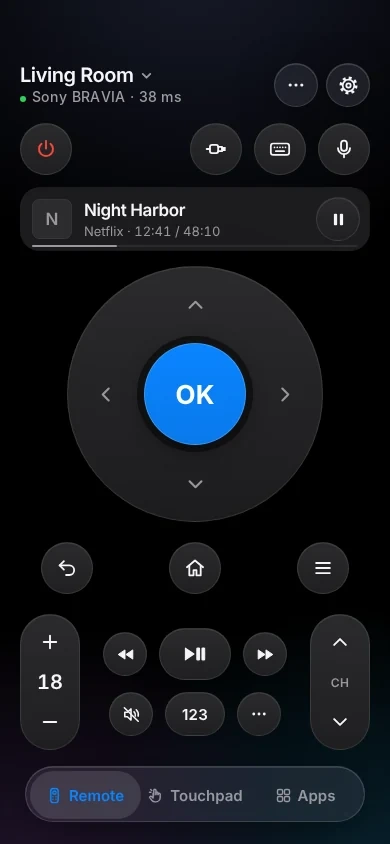
- Any BRAVIA from 2013 on, including the 2013–2014 models without Android: TVkip works as a full remote with HDMI inputs, power, an Apple Watch remote and Lock Screen controls, and also controls other TVs in your home.
None of these replaces SideView's recorder features (watching recordings away from home, transfers to your phone, scheduling on a Blu-ray recorder or nasne).
Your options side by side
What each app does as an iPhone remote, from Sony's support pages and our own tests. Apps change; check each app's page before you decide.
| TVkip | BRAVIA Connect | Google TV app | |
|---|---|---|---|
| BRAVIA models | 2013 on | 2023 A95L and XR8, 2024 on | Android TV and Google TV models |
| Every remote button | Yes | Most; no button holds, no mic | Main buttons |
| Typing from the iPhone | Most apps | Not listed by Sony | Yes |
| HDMI inputs and power on | Yes; power on needs Remote start | Yes | Power on and off; inputs not listed by Sony |
| Recording through the TV's guide | No | Yes | No |
| Account needed | None | Sony account, Google account on the TV | Google account on the TV |
| Other TVs in your home | LG, Google TV, Hisense VIDAA, Fire TV, Apple TV | Sony only | Google TV and Android TV |
Switching to TVkip in a minute
- On the TV, turn on IP control once. On 2015–2024 models: Settings > Network & Internet > Remote device settings > Control remotely → On. 2025 models: Settings > BRAVIA Settings > IP control. The Sony BRAVIA page has the path for every year.
- Put your iPhone on the same Wi-Fi as the TV, open TVkip and allow Local Network access when iOS asks.
- Pick your BRAVIA and type the 4-digit PIN the TV shows (2025 models ask for the key you chose).
- To turn the TV on from your iPhone, also turn on Remote start.
The full guide is Connecting a Sony BRAVIA TV. You can keep using SideView until March 30, 2027 alongside TVkip.
Honest limits
- TVkip is a remote, not a recorder app. It doesn't show a programme guide on your iPhone, schedule recordings, or play recordings from a Blu-ray recorder or nasne.
- IP control has to be on first. BRAVIA TVs ship with it off.
- BRAVIA TVs from before 2013 can't be controlled: they don't have the interface TVkip uses.
- Now playing shows TV channels and HDMI sources, not what's playing inside apps.
- REGZA isn't supported, nor are other TVs without Google TV, Android TV or one of the systems on our TV pages. AQUOS and other Google TV and Android TV models work through TVkip's Google TV connection.
Questions
When exactly does SideView stop working?
Sony's notice says March 30, 2027 is the last day you can use and download the app. From March 31, 2027 it shows an end-of-service message and every feature stops, the remote included.
Does TVkip need a Sony or Google account?
No. TVkip connects to the TV directly over your Wi-Fi; you only type the PIN the TV shows, once.
Can TVkip schedule recordings like SideView?
No. TVkip controls the TV itself. For recording through the TV's programme guide on 2023 and later models, Sony's BRAVIA Connect app can do it.
Is TVkip free?
The full remote is free for up to two TVs, with no ads. Pro adds more TVs, screen mirroring, the full Apple Watch app and more.